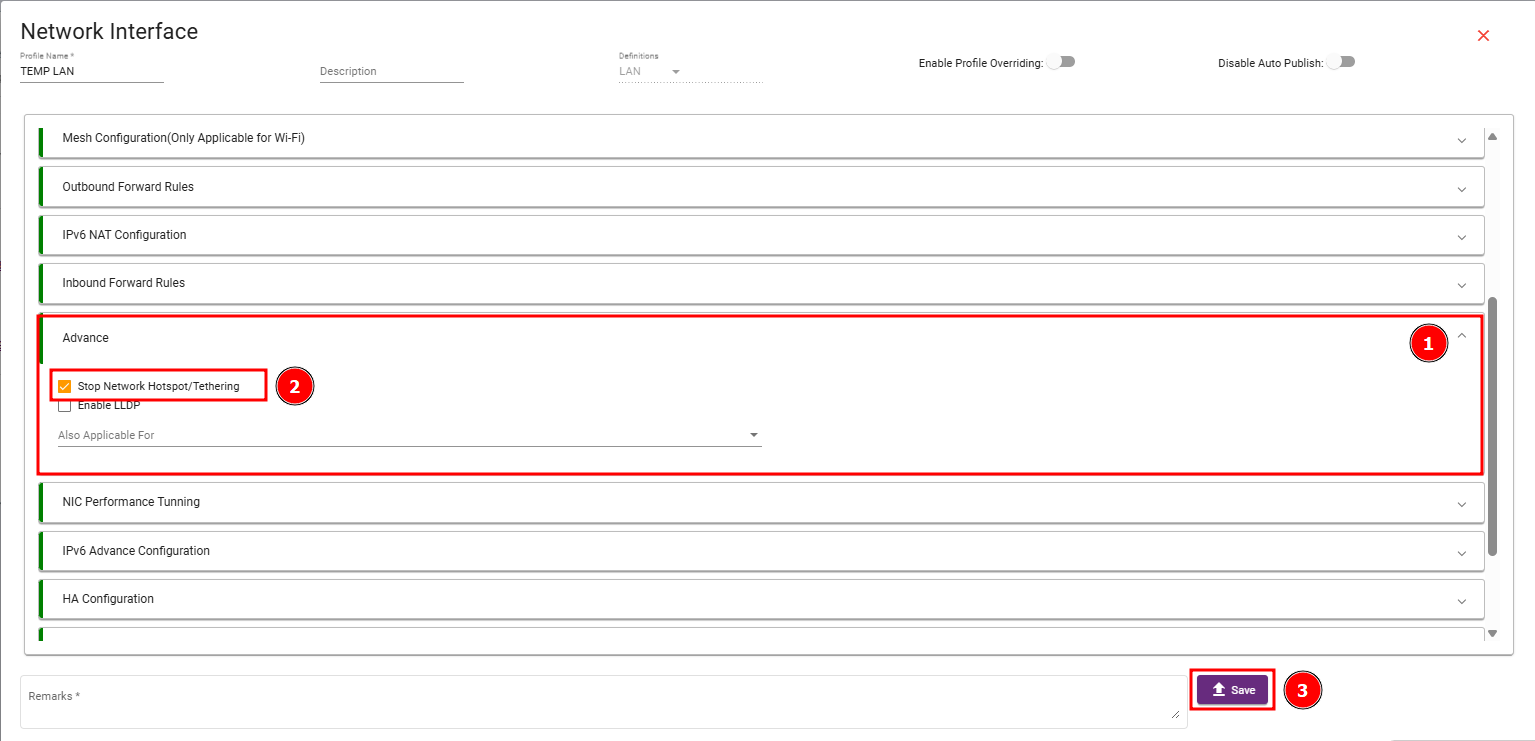
The Stop Network Hotspot/Tethering setting prevents the device from sharing its network connection with other devices via mobile hotspot, USB tethering, or Bluetooth tethering. When enabled, the device cannot act as a network access point for external devices.
Steps 1: Navigate to the profiles, select Network Interface, choose the LAN profile, and click View / Edit. 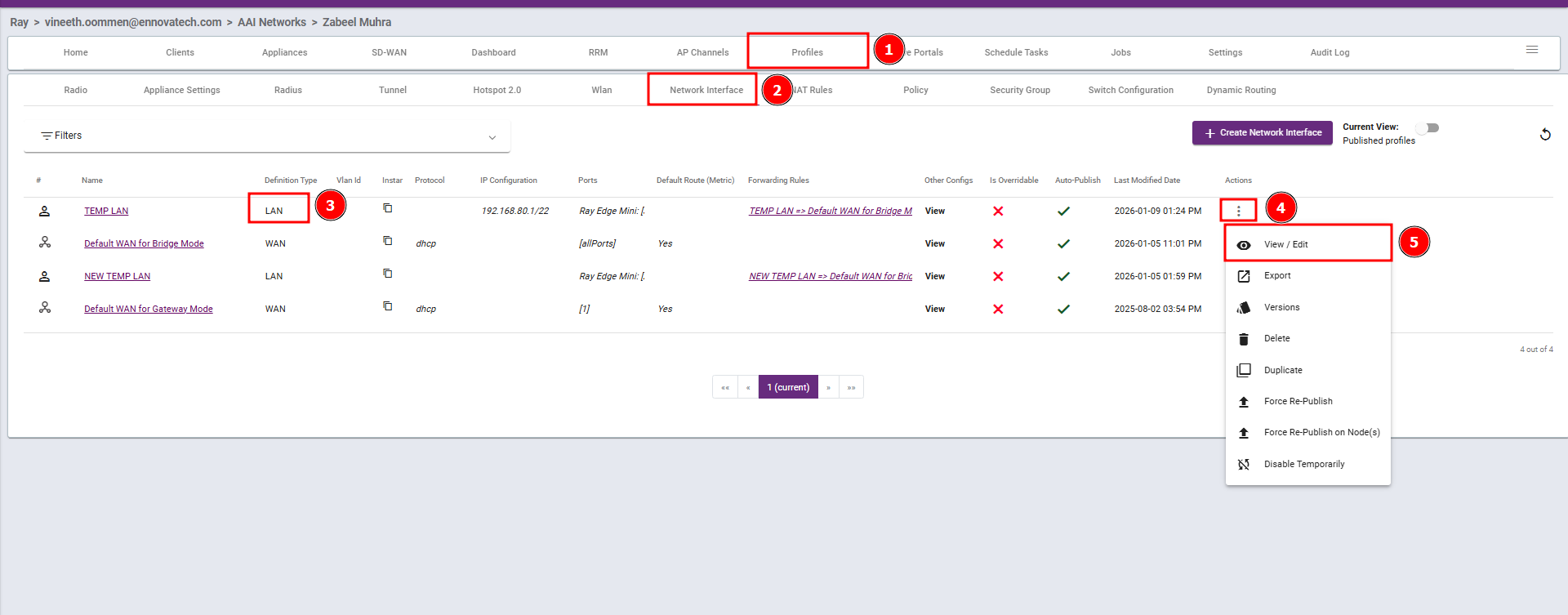
Steps 2: Go to Advanced, enable Stop Network Hotspot/Tethering, and save the changes.